Enterprise Information Lifecycle Management Tools: A Complete Guide
What Are Enterprise Information Lifecycle Management Tools?
Enterprise information lifecycle management tools are software solutions that help organizations manage information from the time it is created through its active use, archival, retention, and eventual disposition.
These tools help enterprises determine where information should reside, how it should be managed, who should have access to it, how long it should be retained, and when it can be securely disposed of.
Modern organizations manage information across databases, enterprise applications, file systems, cloud platforms, data lakes, and legacy systems. Managing all information in the same way can increase storage costs and create unnecessary operational and governance challenges.
Enterprise information lifecycle management provides a structured approach to managing information according to its business value and lifecycle stage.
Organizations can explore Information Lifecycle Management as an approach to managing enterprise information throughout its lifecycle.
Why Is Information Lifecycle Management Important?
Enterprise data is continuously created and accumulated.
For example, an organization may generate information through:
ERP applications CRM platforms Financial systems HR applications Databases Email systems File repositories Cloud applications Data warehouses Legacy applications
However, the value and usage of this information can change over time.
Recently created information may be actively used by business teams, while older information may only be required for reporting, audits, compliance, historical analysis, or legal purposes.
Information lifecycle management helps organizations manage these different data stages using defined policies.
What Are the Main Stages of the Information Lifecycle?
A typical information lifecycle can be represented as:
Create → Use → Manage → Archive → Retain → Dispose
- Create
Information is generated through business activities, applications, transactions, communications, and other processes.
- Use
Frequently accessed information remains in active production systems where employees and applications can use it for daily operations.
- Manage
Organizations classify, protect, monitor, and govern information based on business requirements.
- Archive
Information that is no longer frequently accessed can be moved to an appropriate archival environment.
- Retain
Information that has continuing business, legal, regulatory, or historical value can be retained according to applicable policies.
- Dispose
When information reaches the end of its approved retention period and no further requirement exists, it can be evaluated for secure disposition.
What Do Enterprise Information Lifecycle Management Tools Do?
ILM tools can provide capabilities for managing information throughout these stages.
Data Discovery
Tools can help organizations identify where information exists across applications, databases, repositories, and infrastructure.
Data Classification
Information can be classified according to factors such as:
Business value Data type Sensitivity Access frequency Age Retention requirements Policy-Based Management
Organizations can establish rules that determine how different categories of information should be handled.
Data Archiving
Inactive information can be moved from production systems to appropriate archival storage.
Retention Management
Organizations can define and manage retention periods for different categories of information.
Access Management
ILM platforms can help control access to information according to organizational policies.
Data Disposition
When information reaches the end of its lifecycle, organizations can apply approved disposition policies.
Key Benefits of Enterprise Information Lifecycle Management Tools
- Better Data Governance
ILM tools provide a structured framework for managing information across its lifecycle.
Instead of allowing data to accumulate without clear ownership or policies, organizations can establish rules for classification, access, retention, and disposition.
- Reduced Data Storage Costs
Not all information needs to remain on high-performance production infrastructure.
Moving inactive information to more appropriate storage environments can help organizations manage infrastructure costs.
- Improved Application Performance
Large volumes of historical data can increase the amount of information that production applications and databases need to manage.
Archiving eligible information can reduce production data volumes.
- Simplified Data Management
Centralized lifecycle policies can reduce the need for manual data-management activities.
- Support for Compliance
Organizations can establish retention and access policies aligned with their applicable requirements.
ILM technology does not itself determine legal obligations; organizations need to define policies based on the regulations and requirements applicable to their environment.
- Better Legacy Application Management
Historical data often creates dependencies on legacy applications.
ILM and archiving capabilities can help organizations preserve required historical information while reducing dependency on applications that are no longer actively used.
Enterprise Information Lifecycle Management vs. Data Lifecycle Management
The terms information lifecycle management and data lifecycle management are sometimes used interchangeably, but their focus can differ.
Information Lifecycle Management Data Lifecycle Management Focuses broadly on enterprise information Often focuses specifically on data Can include structured and unstructured information Often emphasizes data repositories Includes governance and retention Includes storage and data management Can include applications and business context Often focuses on data movement and storage Supports information-wide lifecycle policies Supports data-specific lifecycle policies
The exact scope depends on the organization's technology architecture and terminology.
Enterprise Information Lifecycle Management and Data Archiving
Data archiving is an important component of information lifecycle management.
For example:
Active Data → Less Frequently Accessed Data → Archived Data → Retained Data → Disposition
When information is actively used, it may remain in production systems.
As access frequency decreases, eligible information can be archived.
This approach allows organizations to manage information according to its actual lifecycle rather than maintaining all information in the same environment indefinitely.
Enterprise Information Lifecycle Management and Application Retirement
Application retirement is another important ILM use case.
Legacy applications may no longer support current business requirements, but their historical data may still need to be retained.
A lifecycle management strategy can separate the two requirements:
Application is retired → Historical data is preserved → Authorized access remains available
This can reduce the need to keep outdated applications running solely to access historical information.
How Do Enterprise Information Lifecycle Management Tools Support Cloud Environments?
Enterprise IT environments increasingly use a combination of on-premises infrastructure, private cloud, public cloud, SaaS applications, and hybrid architectures.
Information lifecycle management tools can help organizations establish consistent policies across these environments.
A lifecycle strategy can determine:
Where information should be stored When information should move between storage tiers Who can access information How long information should be retained When information becomes eligible for disposition
Cloud support can therefore become an important consideration when organizations evaluate ILM platforms.
Important Features to Look for in ILM Tools
Organizations evaluating enterprise information lifecycle management tools can consider the following capabilities.
- Data Discovery
The tool should help identify information across multiple enterprise environments.
- Classification
The ability to classify information according to business and governance requirements is important.
- Policy Automation
Automated lifecycle policies can reduce manual management.
- Archiving
The platform should support the movement of eligible information to archival environments.
- Retention Management
Organizations should be able to establish and manage retention policies.
- Search and Retrieval
Historical information should remain discoverable and accessible to authorized users.
- Security
Appropriate authentication, authorization, encryption, and auditing capabilities should be considered.
- Reporting
Reporting and monitoring capabilities can provide visibility into lifecycle activities.
- Application Support
Organizations with complex application environments should consider support for ERP, CRM, databases, and legacy applications.
- Cloud and Hybrid Support
The solution should align with the organization's infrastructure and cloud strategy.
How to Implement an Enterprise Information Lifecycle Management Strategy
A practical implementation can follow these steps.
Step 1: Inventory Information
Identify applications, databases, repositories, file systems, and cloud environments.
Step 2: Identify Data Owners
Assign responsibility for different categories of information.
Step 3: Classify Information
Categorize information based on business value, sensitivity, access frequency, and retention requirements.
Step 4: Define Lifecycle Policies
Create policies for active data, inactive data, archived data, retained information, and disposition.
Step 5: Automate Policy Enforcement
Use lifecycle management tools to apply policies consistently.
Step 6: Monitor and Audit
Track information movement, access, retention, and disposition activities.
Step 7: Review Policies
Business requirements, applications, regulations, and technology environments can change over time. Lifecycle policies should therefore be reviewed periodically.
Common Challenges in Enterprise Information Lifecycle Management Data Silos
Information may be distributed across many systems and departments.
Inconsistent Policies
Different business units may apply different retention or data-management practices.
Legacy Systems
Older applications can make historical information difficult to manage independently.
Rapid Data Growth
Increasing data volumes can make manual lifecycle management impractical.
Cloud Complexity
Organizations may need consistent policies across multiple cloud and on-premises environments.
Data Governance
Without clear ownership and classification, organizations may struggle to determine which information should be retained, archived, or disposed of.
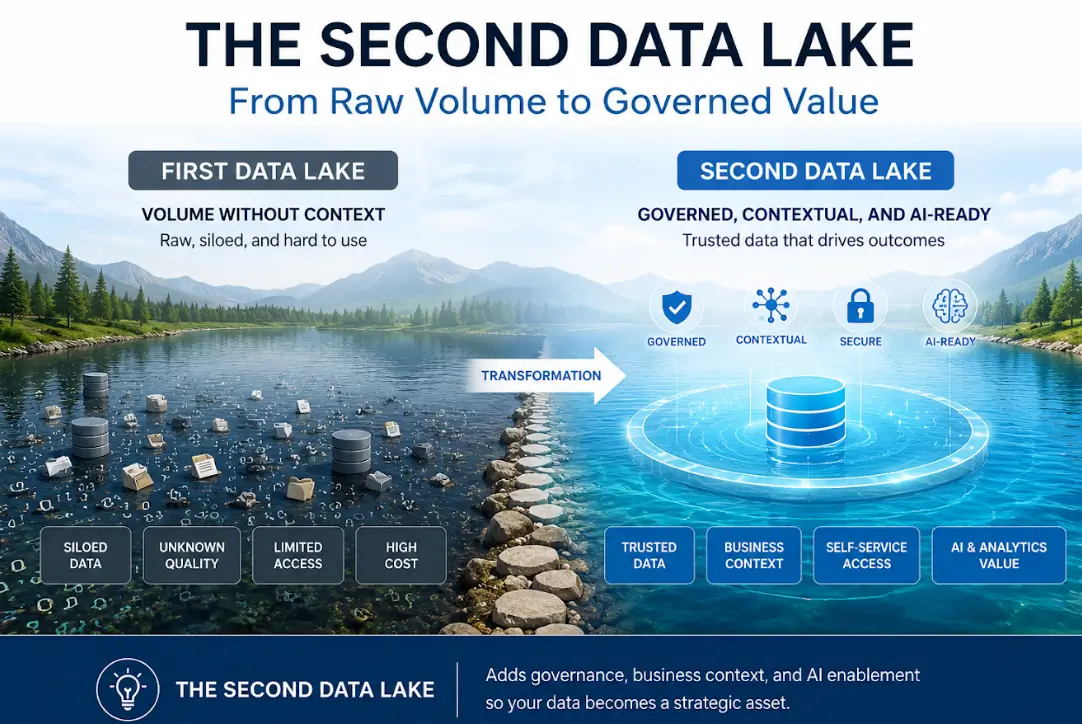
Enterprise Information Lifecycle Management for AI-Ready Data
Information lifecycle management is also becoming relevant to enterprise AI initiatives.
Organizations need to identify which information is:
Current Trusted Relevant Governed Accessible Suitable for analytics or AI workloads
Historical information can contain valuable business context, but it needs appropriate governance before being used for analytics or AI.
A lifecycle strategy can therefore help organizations manage information before it becomes part of downstream analytics, knowledge systems, or AI workflows.
Key Takeaways Enterprise information lifecycle management tools help organizations manage information from creation through final disposition. ILM can combine discovery, classification, governance, archiving, retention, access, and disposition. Data archiving is an important stage within the broader information lifecycle. ILM can help organizations manage legacy application data and support application retirement. Cloud and hybrid support are increasingly important considerations. A well-defined lifecycle strategy can improve data governance and help organizations manage growing information volumes. Frequently Asked Questions What are enterprise information lifecycle management tools?
Enterprise information lifecycle management tools are software platforms that help organizations manage information throughout its lifecycle, including creation, use, classification, archiving, retention, and disposition.
Why is information lifecycle management important?
It helps organizations establish consistent policies for managing information based on its business value, access requirements, security, retention needs, and lifecycle stage.
What are the stages of information lifecycle management?
A common lifecycle includes creation, active use, management, archiving, retention, and eventual disposition.
What is the difference between ILM and data archiving?
Information lifecycle management covers the broader lifecycle of enterprise information. Data archiving is one component of ILM that focuses on moving eligible historical or inactive information into archival storage.
Can ILM tools reduce storage costs?
They can help organizations move less frequently accessed information away from high-cost production environments and manage storage according to data requirements.
Can information lifecycle management support application retirement?
Yes. ILM can help organizations preserve historical application data while reducing dependency on applications that are no longer required for daily operations.
Do ILM tools support cloud environments?
Many enterprise ILM platforms support cloud or hybrid environments. Organizations should evaluate cloud capabilities against their specific architecture and requirements.
How does ILM support compliance?
ILM can help organizations implement retention, access, classification, auditing, and disposition policies. The specific requirements depend on the organization's industry, jurisdiction, and applicable regulations.
What features should organizations look for in ILM software?
Important capabilities can include data discovery, classification, policy automation, archiving, retention management, search, security, reporting, application support, and cloud integration.
How does ILM help manage inactive data?
ILM policies can identify information that is no longer actively used and determine whether it should remain in production, move to archival storage, or eventually become eligible for disposition.
Can ILM help prepare enterprise data for AI?
Yes. A lifecycle strategy can help organizations identify, classify, govern, and preserve information so that relevant and appropriately governed data can be made available for analytics and AI initiatives.
Conclusion
Enterprise information is not equally valuable or equally active throughout its entire lifecycle. Some information requires immediate access, while other information may only need to be preserved for historical, business, regulatory, or analytical purposes.
Enterprise information lifecycle management tools provide a structured framework for managing these different stages.
By combining discovery, classification, policy-based management, archiving, retention, security, and disposition, organizations can create a more organized approach to enterprise information management while supporting modernization and evolving data requirements.