File Archiving Software for Enterprises: Optimizing Data Management and Compliance
In today’s fast-paced digital landscape, enterprises produce a massive amount of data every day. Emails, contracts, financial records, reports, multimedia files, and application data quickly accumulate, creating challenges in storage, retrieval, and compliance. Traditional storage methods are no longer sufficient to manage this growing volume efficiently.
This is where File Archiving Software for Enterprises plays a vital role. By providing a structured, secure, and automated approach to data preservation, enterprise file archiving solutions help organizations reduce risk, optimize storage, and maintain compliance. This article explores how enterprises can leverage file archiving software to manage data effectively while supporting operational and regulatory objectives.
What Is File Archiving Software for Enterprises?
File archiving software is designed to store, manage, and preserve inactive or historical files in a secure, searchable, and governed environment. Unlike backup solutions, which primarily focus on disaster recovery, file archiving ensures that data is retained according to retention policies, compliance requirements, and business needs.
Key elements of enterprise file archiving software include:
Automated Archiving: Identify and archive files based on age, type, or usage patterns.
Retention Management: Apply rules for retention and deletion to meet regulatory and business requirements.
Security and Access Controls: Ensure data integrity with encryption, role-based permissions, and audit logging.
Search and Retrieval: Make archived files quickly retrievable through indexing, metadata, or full-text search.
Integration: Connect seamlessly with enterprise applications like email systems, file servers, and collaboration platforms.
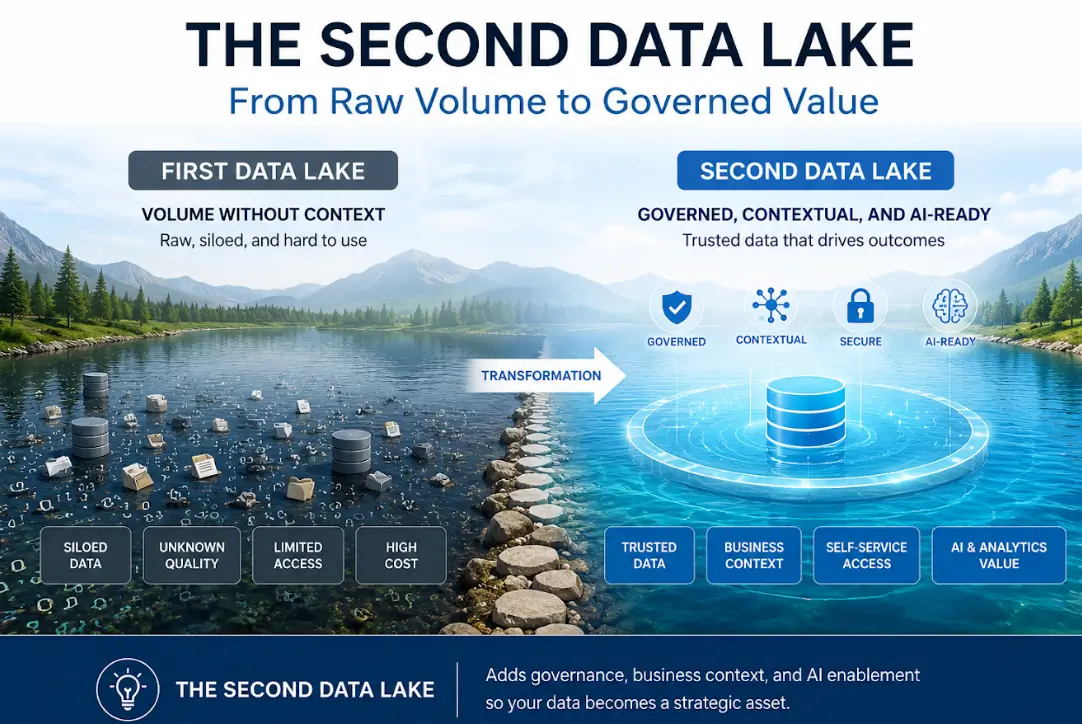
By implementing File Archiving Software for Enterprises, organizations can turn their archived data into a managed, strategic asset rather than leaving it scattered and ungoverned.
Key Benefits of Enterprise File Archiving
1. Regulatory Compliance
Many industries face strict data retention and compliance requirements. Healthcare, finance, legal, and government organizations must maintain audit-ready records for years. Enterprise file archiving software ensures compliance by enforcing retention policies, managing legal holds, and providing detailed audit trails for regulatory inspections.
2. Operational Efficiency
Inactive data stored in production systems slows down applications and increases backup complexity. Archiving reduces system load, improves performance, and ensures IT resources are focused on active workloads.
3. Data Security and Risk Mitigation
Files often contain sensitive business information. Enterprise archiving software provides secure storage with encryption, access controls, and activity tracking, reducing the risk of breaches, accidental deletion, or data tampering.
4. Cost Savings
Storing all files in primary systems is expensive. By moving inactive files to cost-effective archival storage—on-premises or cloud-based—enterprises save on storage, maintenance, and backup costs while maintaining accessibility.
5. Business Continuity and Disaster Recovery
Archived files remain accessible even during system failures, cyberattacks, or disasters. File archiving software supports enterprise resilience by preserving historical and critical data independently of production systems.
Features to Look for in Enterprise File Archiving Software
When selecting a file archiving solution, enterprises should prioritize features that align with compliance, scalability, and operational goals:
1. Automated Policies and Rules
Automation ensures consistent application of retention and archival policies, reducing human error and administrative effort.
2. Advanced Search Capabilities
Full-text search, metadata filtering, and indexing make it easy to locate archived files quickly, supporting audits, e-discovery, and operational needs.
3. Scalability
Enterprise archiving software must handle growing volumes of files without impacting performance. Cloud integration provides additional scalability and global accessibility.
4. Security and Access Controls
Role-based access, encryption, and audit logging ensure that sensitive information remains protected and traceable.
5. Integration Across Systems
Seamless integration with email, collaboration tools, ERP, CRM, and file servers ensures consistent archiving practices across all platforms.
6. Compliance Reporting
Automated reporting capabilities help enterprises demonstrate compliance with regulatory requirements and internal policies.
Best Practices for Implementing File Archiving in Enterprises
Define Clear Archiving Policies: Specify what data should be archived, retention periods, access permissions, and deletion rules.
Classify and Index Files: Apply metadata, tagging, and categorization to make retrieval fast and accurate.
Automate Processes: Use software to automatically archive files according to policy, reducing manual intervention.
Secure Archived Data: Implement encryption, access controls, and monitoring to protect sensitive files.
Regular Audits and Monitoring: Continuously review archived data to ensure compliance, security, and operational effectiveness.
Plan for Scalability: Ensure the solution can accommodate growing data volumes and integrate with cloud storage as needed.
By following these best practices, enterprises can maximize the value of their file archiving solution while minimizing risk and operational overhead.
Real-World Applications
Enterprises across industries benefit from file archiving software in multiple ways:
Legal and Regulatory Compliance: Financial institutions and law firms can retain contracts, client records, and communications for regulatory inspections.
Email Archiving: Automatically storing and indexing emails to reduce storage costs and ensure compliance with retention policies.
Historical Data Preservation: Manufacturing and healthcare organizations maintain operational records and patient data for historical analysis or legal purposes.
Application Retirement: Enterprises can safely decommission legacy systems while keeping critical data accessible in archives.
Conclusion
In a digital-first enterprise environment, File Archiving Software for Enterprises is no longer optional—it is essential. Archiving ensures secure, compliant, and accessible storage of inactive files while optimizing operational efficiency and reducing costs.
By implementing a robust file archiving solution, enterprises can safeguard critical information, maintain compliance, and streamline IT operations, transforming archived data from passive storage into a strategic business asset.